

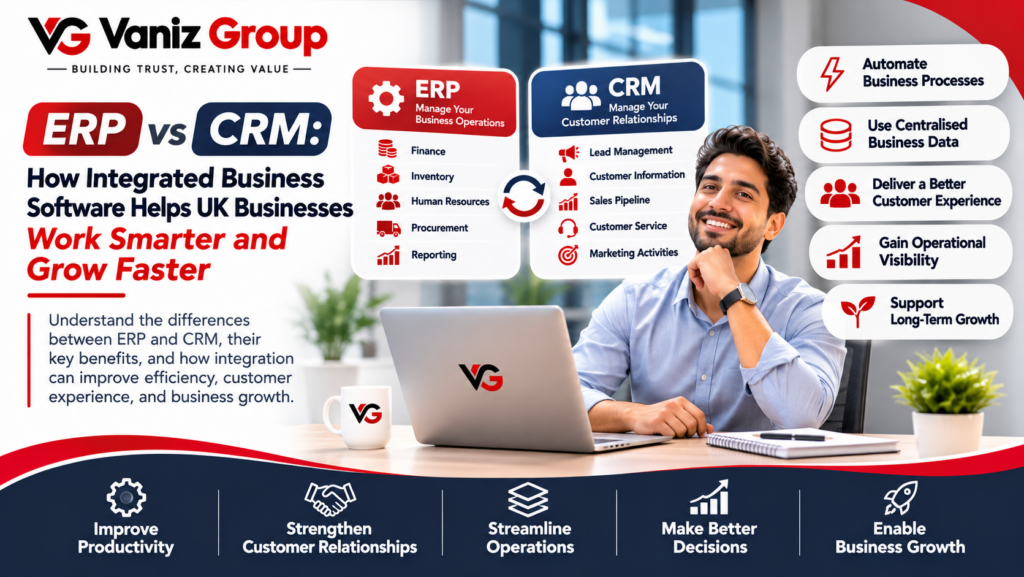
Running a growing business involves managing multiple processes simultaneously. From handling customer enquiries and tracking sales to managing inventory, employees, finances and daily operations, business owners need reliable systems to keep everything organised.
However, many businesses still depend on spreadsheets, disconnected applications and manual processes to manage these activities. Although these methods may work initially, they can become difficult to maintain as the business expands.
This is where Enterprise Resource Planning (ERP) and Customer Relationship Management (CRM) software become valuable.
ERP and CRM systems help businesses organise information, automate repetitive tasks, improve communication and make better decisions. When implemented correctly, they can provide a connected digital environment where different departments work with accurate and consistent information.
For UK businesses looking to improve productivity, strengthen customer relationships and prepare for future growth, understanding the differences between ERP and CRM is an important first step.
In this guide, we explore what ERP and CRM software do, how they differ, their key benefits and why integrating both systems can help businesses operate more efficiently.
What Is ERP Software?
Enterprise Resource Planning (ERP) software is a business management system that connects different operational departments through a centralised platform.
Instead of maintaining separate systems for finance, inventory, purchasing, human resources and operations, an ERP solution allows businesses to manage these activities within one integrated environment.
For example, when a sales order is received, an ERP system can help update inventory records, generate relevant financial information and notify the operations team.
This reduces the need for employees to enter the same information into multiple systems.
Key Features of ERP Software
Modern ERP systems can include several important business management capabilities.
1. Financial Management
ERP software helps businesses manage financial activities, including:
- Income and expense tracking.
- Financial reporting.
- Accounts payable and receivable.
- Budget management.
- Invoice processing.
- Financial performance monitoring.
Having financial information in one system makes it easier for management teams to monitor business performance.
2. Inventory and Warehouse Management
Businesses dealing with physical products need accurate inventory information.
ERP inventory management features can help with:
- Real-time stock monitoring.
- Warehouse management.
- Purchase order tracking.
- Stock movement records.
- Supplier management.
- Low-stock notifications.
These capabilities help businesses maintain better control over inventory and reduce avoidable operational problems.
3. Human Resource Management
ERP systems can also support internal workforce management through:
- Employee information management.
- Attendance tracking.
- Leave management.
- Payroll workflows.
- Department management.
- Employee performance reporting.
4. Procurement and Supply Chain Management
Businesses can manage supplier information, purchase requests, procurement activities and order tracking through a centralised system.
This improves visibility across purchasing and supply chain operations.
5. Business Reporting and Analytics
ERP dashboards provide useful information about business performance, helping management teams understand operational activities and identify areas that need improvement.
What Is CRM Software?
Customer Relationship Management (CRM) software is designed to help businesses manage interactions with existing and potential customers.
It provides a central location for storing customer information, tracking enquiries, managing sales opportunities and monitoring communication throughout the customer journey.
For example, when a potential customer submits an enquiry through a website, a CRM system can record their details, assign the enquiry to a salesperson and help track follow-up activities.
This ensures that opportunities are not easily overlooked.
Key Features of CRM Software
1. Lead Management
CRM software helps businesses collect, organise and manage leads from different sources, such as:
- Website enquiry forms.
- Email campaigns.
- Social media.
- Telephone enquiries.
- Marketing campaigns.
- Referral networks.
Sales teams can monitor each lead and understand its current status.
2. Contact and Customer Management
A CRM system maintains organised customer records, including contact details, communication history, previous enquiries and relevant business information.
This allows sales representatives to understand customer requirements before starting a conversation.
3. Sales Pipeline Management
CRM software helps businesses track opportunities through different stages of the sales process.
For example:
- New enquiry.
- Initial contact.
- Qualified lead.
- Proposal sent.
- Negotiation.
- Deal won or lost.
This provides better visibility into sales activities and helps managers identify opportunities that require attention.
4. Follow-up and Task Automation
Automated reminders, task assignments and follow-up notifications help sales teams maintain consistent communication with potential customers.
Businesses can reduce manual administration and establish more organised sales processes.
5. Customer Service Management
CRM systems can also support customer service operations by maintaining enquiry histories, tracking complaints, recording support requests and helping teams manage customer communication.
ERP vs CRM: What Is the Difference?
Although ERP and CRM software both help businesses improve efficiency, they serve different purposes.
ERP primarily focuses on internal business operations, while CRM focuses on customer relationships and sales activities.
Here is a comparison:
| Feature | ERP Software | CRM Software |
|---|---|---|
| Main purpose | Manage business operations | Manage customer relationships |
| Primary users | Finance, HR, operations and management | Sales, marketing and support teams |
| Customer information | Operational and transaction-related | Customer interactions and history |
| Financial management | Core functionality | Usually limited or integrated |
| Inventory management | Advanced inventory capabilities | Usually limited |
| Sales management | Order processing and fulfilment | Lead and opportunity management |
| Reporting | Business and operational reports | Sales and customer reports |
| Main objective | Operational efficiency | Customer engagement and sales growth |
Both systems provide valuable capabilities, and businesses do not necessarily need to choose one over the other.
In many situations, integrating ERP and CRM creates a more connected business management environment.
Why UK Businesses Need ERP and CRM Software
As businesses grow, managing operations through disconnected applications becomes increasingly challenging.
Teams may work with different versions of customer information, inventory records may not reflect recent transactions, and sales representatives may lack visibility into order fulfilment.
ERP and CRM software can address many of these challenges.
1. Better Business Process Automation
Manual administration takes time and increases the possibility of human error.
ERP and CRM systems can automate repetitive activities such as order processing, enquiry assignment, notifications, reporting and follow-up reminders.
This allows employees to focus more on important business activities.
2. Centralised Business Information
When information is distributed across multiple applications, finding accurate records becomes difficult.
Integrated business software provides a more organised approach to managing customer, financial, operational and sales information.
Employees can access relevant information according to their roles and permissions.
3. Improved Customer Experience
Customers expect timely responses, accurate information and consistent communication.
CRM systems help businesses maintain communication histories, manage enquiries and monitor customer requirements.
When connected with ERP, sales teams can also access relevant order and fulfilment information, helping them provide more informed responses.
4. Increased Operational Visibility
Business owners need to understand what is happening across their organisation.
ERP dashboards can provide visibility into inventory, purchasing, finance and operational performance, while CRM dashboards help monitor sales pipelines and customer interactions.
Together, these systems provide a broader understanding of business activities.
5. Support for Business Growth
A system that works for a small team may not be suitable when the business expands.
Scalable ERP and CRM solutions allow businesses to introduce additional modules, users, workflows and integrations as their requirements change.
This makes technology an investment in long-term operational development rather than simply another administrative tool.
Why Integrating ERP and CRM Is Important
Using ERP and CRM independently can provide significant benefits. However, connecting both systems can create even greater operational value.
Consider a UK distribution business that receives enquiries from customers through its website.
Without integration, the sales team may manage customer information in a CRM, while the warehouse team maintains stock information separately in an ERP system.
This can create unnecessary communication between departments.
With an integrated solution, the process becomes more connected:
Step 1: Customer Enquiry
A potential customer submits an enquiry through the website. Their information is recorded in the CRM.
Step 2: Lead Management
The CRM assigns the enquiry to the appropriate salesperson and tracks communication and follow-up activities.
Step 3: Sales Order Creation
Once the customer confirms the purchase, the relevant order information can be transferred to the ERP system.
Step 4: Inventory Verification
The ERP checks stock availability and helps coordinate order processing.
Step 5: Financial Processing
Relevant invoice and financial records are generated or updated through the ERP workflow.
Step 6: Customer Updates
Order and fulfilment information can be made available to the sales or customer service team through the integration.
The result is a more connected process with less manual data entry and improved coordination between departments.
Should Your Business Choose Custom ERP and CRM Software?
Many businesses start by evaluating ready-made ERP and CRM platforms. These can be suitable when their existing processes match the available functionality.
However, some organisations have specific workflows, industry requirements or integration needs that standard software cannot fully address.
In these situations, customised business software may be a better option.
When Ready-Made Software Makes Sense
A standard ERP or CRM platform may be appropriate when:
- Your business follows common operational processes.
- Existing features meet most of your requirements.
- You want to implement a system quickly.
- Your integration requirements are straightforward.
- You prefer an established software platform.
When Custom Software Is Worth Considering
Custom ERP or CRM development may be appropriate when:
- Your business has specialised workflows.
- Different departments require connected processes.
- You need industry-specific functionality.
- Existing systems cannot communicate effectively.
- You require customised dashboards and reporting.
- You want greater control over future functionality and integrations.
The right choice depends on business requirements, implementation costs, scalability and long-term objectives.
Popular ERP Platforms for Businesses
Several established ERP platforms offer functionality for organisations of different sizes.
Odoo ERP
Odoo provides a modular business management platform covering areas such as accounting, sales, inventory, purchasing, manufacturing and human resources.
Its modular structure makes it possible to introduce functionality according to business requirements.
SAP Business One
SAP Business One is designed for small and medium-sized businesses looking to manage financials, purchasing, inventory, sales and other core operations through an integrated platform.
Microsoft Dynamics 365
Microsoft Dynamics 365 offers business applications covering areas such as finance, supply chain management, sales and customer service.
Businesses can select applications based on their operational needs.
The most appropriate platform depends on the organisation’s size, industry, existing technology and implementation requirements.
Important Factors to Consider Before Implementing ERP or CRM
Choosing business management software requires more than comparing features.
Businesses should evaluate several important factors before starting implementation.
1. Understand Your Business Requirements
Identify existing operational challenges and determine which processes need improvement.
Speak with relevant departments to understand their daily activities and expectations.
2. Define Your Budget
Consider software licensing, development, implementation, integrations, data migration, employee training and ongoing support.
3. Evaluate Integration Requirements
Your new software may need to connect with accounting applications, websites, mobile applications, payment gateways, marketing platforms or existing databases.
Check these requirements before selecting a solution.
4. Prioritise Data Security
Business systems contain sensitive customer, financial and operational information.
Consider access permissions, secure authentication, data protection, backups and appropriate security controls.
5. Plan Data Migration
Moving information from spreadsheets or legacy applications requires careful planning.
Customer records, inventory data, financial information and other important records should be reviewed and validated during migration.
6. Provide Employee Training
Even a well-designed system can create challenges if employees do not understand how to use it.
Provide appropriate training and documentation to support adoption.
7. Plan for Future Growth
Choose a solution that can accommodate additional users, departments, locations and business processes as your organisation develops.
How Vaniz Group Helps Businesses with ERP and CRM Solutions
At Vaniz Group, we understand that every business operates differently. Technology should support the way an organisation works rather than forcing employees to adapt to unnecessary complexity.
We help businesses explore and develop software solutions that improve operational efficiency, connect business processes and support long-term growth.
Our software engineering capabilities cover ERP solutions, custom software development, web platforms, cloud infrastructure and business process automation.
Our ERP-related expertise includes platforms and technologies such as Odoo, SAP Business One, Microsoft Dynamics, Python, Node.js and PostgreSQL.
Depending on project requirements, we can support businesses with:
- ERP implementation and customisation.
- Business workflow automation.
- Inventory and warehouse management systems.
- Finance and operational management modules.
- Custom CRM and customer management solutions.
- Sales pipeline and lead management workflows.
- API development and third-party integrations.
- Data migration and system modernisation.
- Reporting dashboards and business analytics.
- Ongoing maintenance and technical support.
Our approach begins with understanding your business requirements, followed by solution planning, design, development, testing and deployment.
We work with startups, SMEs and established organisations that need practical, scalable software solutions.
Whether you want to modernise an existing ERP system, introduce a CRM platform or connect multiple business applications, our team can help you evaluate the right technical approach.
Conclusion
ERP and CRM software are important tools for businesses looking to improve operational efficiency and customer relationship management.
While ERP focuses on internal business processes and CRM helps manage customer interactions, integrating both systems can create a more connected working environment.
For UK businesses, selecting the right solution involves understanding existing challenges, evaluating software requirements, planning integrations and choosing technology that supports future growth.
Whether you need an established ERP platform, a customised CRM solution or a fully integrated business management system, the right implementation can help your organisation work more efficiently.
Looking to improve how your business operates?
Vaniz Group can help you explore ERP, CRM and custom software solutions aligned with your business requirements.
Visit https://vanizgroup.uk/ or contact our team to discuss your next software project.